

Table of Contents
- How Remote Paralegals Cut Overhead and Increase Billable Hours
- Access to a Wider Talent Pool and Specialized Skills
- Scalability and Flexibility for Growing Law Firms
- Legal Data Security for Remote Staff: Protocols and Compliance
- Virtual Paralegal Onboarding Checklist: A Step-by-Step Guide
- Managing Remote Paralegals for Small Firms: Performance and KPIs
- Hybrid vs. Fully Remote Models: Which Works for Your Firm?
- Frequently Asked Questions
Last Updated: September 26, 2026
How Remote Paralegals Cut Overhead and Increase Billable Hours
Hiring remote paralegals is one of the fastest ways for a small law firm to cut overhead while protecting billable hours. At Bluebook Helpers, we understand the challenges small firms face with overhead costs like office space, payroll taxes, and benefits eating into revenue. Remote paralegals offer a solution to this equation.
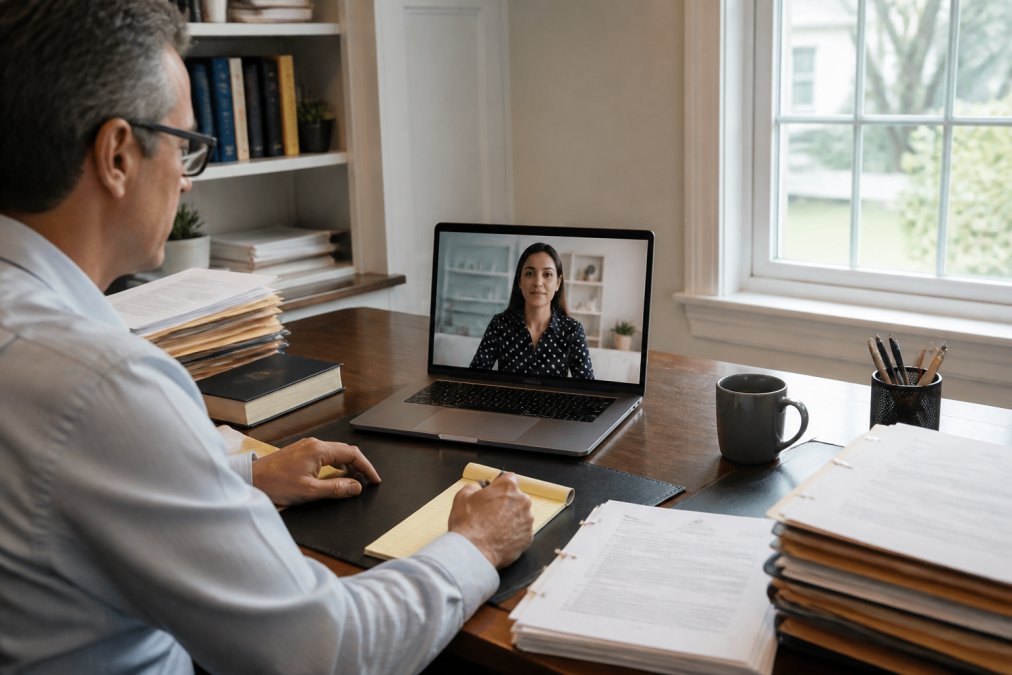
The core benefit of hiring remote paralegals for small law firms is simple: you pay for legal support without paying for desks, benefits, or downtime. That frees up cash and lets attorneys focus on work that actually bills.
Comparing Remote and In-House Paralegal Costs
The cost gap between in-house and remote paralegal support is where most firms see immediate savings. An in-house paralegal carries salary, payroll taxes, health coverage, paid leave, and physical workspace. A remote paralegal strips out much of that overhead.
The Impact on Billable Hours and Profitability
Billable hours rise when attorneys stop doing work a paralegal could handle. Client intake, document preparation, and case file organization are classic bottlenecks that pull attorneys away from billable tasks.
The real win isn’t just lower costs. It’s reallocating attorney time to billable work, which compounds across every case.
Access to a Wider Talent Pool and Specialized Skills
A small firm in a rural market competes for the same paralegals as a big-city practice, but without the same budget. Remote staffing removes that geographic limit.
Scalability and Flexibility for Growing Law Firms
Case volume rarely arrives in a steady stream. It spikes, dips, and spikes again. Remote paralegals let you scale up for a busy filing season and scale back when things slow down.
Legal Data Security for Remote Staff: Protocols and Compliance
Data security is the concern that stops most small firm owners from going remote. It’s a fair worry. Client confidentiality is non-negotiable, and a breach can end a practice. But the firms that succeed with remote paralegals don’t rely on trust, they build a security system that makes confidentiality the default, not an afterthought.
The Minimum Viable Security Stack
Before a remote paralegal touches a single client file, these four controls should be in place:
- A cloud-based practice management platform with role-based access. Clio, MyCase, and Smokeball all support granular permissions. Set them so a paralegal sees only assigned matters, not the full client roster.
- A business-grade VPN or zero-trust access tool. Consumer VPNs aren’t enough. Tools like Tailscale, Cloudflare Zero Trust, or a firm-managed VPN keep traffic encrypted and let you revoke access instantly if a device is lost.
- Encrypted file transfer and email. Standard email is not secure. Use a platform with encryption at rest and in transit, or a dedicated secure transfer tool. Never send client documents as plain email attachments.
- Multi-factor authentication on every account. No exceptions. MFA is the single highest-return security control for a small firm, and it’s free on most platforms.
A Practical Security Checklist for Onboarding
Run this before granting access:
- Signed confidentiality agreement on file
- Background check completed (if your state bar or malpractice carrier requires it)
- Firm-owned or firm-managed device, or a documented BYOD policy with endpoint protection
- MFA enabled on email, practice management, and document storage
- Role-based permissions configured, paralegal sees only assigned matters
- Secure file-sharing method tested with a sample document
- Written remote work policy covering public Wi-Fi, screen privacy, and device locking
- Offboarding procedure documented (access revocation within 24 hours of separation)
Compliance Obligations Small Firms Often Miss
Remote paralegals don’t change your ethical duties, they raise the stakes on enforcing them. Under the ABA Model Rules of Professional Conduct, Rule 1.6 requires lawyers to make reasonable efforts to prevent inadvertent or unauthorized disclosure of client information. Rule 5.3 extends that duty to nonlawyer assistants, including remote contractors. Many state bars have issued formal opinions confirming that lawyers must supervise remote staff and verify their security practices.
Skipping access controls is the mistake that sinks remote programs. If every remote staffer can open every client file, one lapse becomes a firm-wide confidentiality problem, and a potential bar complaint.
What to Ask a Remote Paralegal Provider
When vetting a staffing provider, ask directly:
- Do your paralegals work on firm-managed or provider-managed devices?
- How do you handle access revocation when a placement ends?
- Are your staff trained on your state’s confidentiality rules, or just general privacy?
- Can you provide a sample confidentiality agreement and security policy? (Source: the U.S. Bureau of Labor Statistics)
Virtual Paralegal Onboarding Checklist: A Step-by-Step Guide
A structured onboarding process is what separates a smooth remote hire from a costly mess. Here’s the checklist Bluebook Helpers recommends for firms bringing on virtual paralegal support.
Pre-Onboarding Preparation
- Set up firm email, calendar, and cloud-based practice management access
- Define the paralegal’s specific duties (intake, document prep, case file organization)
- Prepare a confidentiality agreement for signature
- Assign a point of contact within the firm
- Share software login credentials through a secure channel
First Week Integration and Training
- Walk through your intake and document workflows step by step
- Introduce the paralegal to your case management system
- Set expectations for response times and communication channels
- Review sample completed work so quality standards are clear
- Schedule a check-in at the end of week one
Record your onboarding walkthrough once and reuse it for every future hire. It cuts training time and keeps quality consistent across remote staff.
Managing Remote Paralegals for Small Firms: Performance and KPIs
Managing remote paralegals can be effective when focusing on output rather than presence. A scorecard that tells you whether the work is done well, on time, and without rework can be highly beneficial.
The Four Metrics That Matter Most
You don’t need a dashboard with twenty numbers. Track these four, and you’ll know whether your remote paralegal is performing:
| KPI | What It Measures | Healthy Signal | Warning Sign |
|---|---|---|---|
| Document turnaround time | Hours from assignment to completed draft | Consistent, predictable within agreed SLA | Wide variance or missed deadlines |
| Intake completion rate | Percentage of client intakes finished correctly on first pass | 90%+ first-pass accuracy | Frequent rework or missing fields |
| Rework rate | Percentage of submitted work requiring attorney correction | Declining month over month | Flat or rising |
| Attorney hours freed | Billable hours reclaimed from tasks the paralegal now handles | Rising quarter over quarter | No change after 60 days |
A Weekly and Monthly Oversight Rhythm
Remote work fails when communication is ad hoc. Build a cadence:
- Daily: A short written check-in (Slack, Teams, or your practice management’s messaging) covering what’s in progress and any blockers.
- Weekly: A 15-minute video call to review the scorecard, address issues, and plan the coming week’s priorities.
- Monthly: A deeper review of the four KPIs, plus a conversation about workload, capacity, and any process improvements.
- Quarterly: A formal performance review tied to the metrics, with clear goals for the next quarter.
This rhythm can be efficient for attorney time.
Tools That Make Oversight Practical
You don’t need enterprise software. A small firm can run remote oversight with:
- Practice management platform (Clio, MyCase, Smokeball) for matter tracking and time entries
- Task management (Asana, Trello, or the built-in task features in your practice management tool) for assignment tracking
- Time tracking (Toggl, Harvest, or built-in timers) for billable support hours
- Secure messaging (Slack, Teams, or your platform’s messaging) for daily check-ins
Feedback That Actually Improves Performance
Effective feedback for remote staff is tied to a metric or a specific work product:
- Instead of “good job on that brief,” say “the case summary was accurate and turned around in six hours, that’s the standard we want.”
- Instead of “you need to be more careful,” say “the last three intakes had missing contact fields. Let’s review the intake form together and fix the pattern.”
When to Escalate or Replace
If a remote paralegal misses the same metric twice in a row after documented feedback, escalate to your provider. Bluebook Helpers offers replacement of staff at no extra cost if issues arise. Building this expectation into your contract before you start can help manage potential issues.
Hybrid vs. Fully Remote Models: Which Works for Your Firm?
The right model depends on how your firm works, not on what’s trendy. A hybrid setup keeps some in-office presence while remote paralegals handle overflow and specialized tasks. A fully remote model maximizes cost savings and talent access.
Frequently Asked Questions
Is being a remote paralegal a good career?
Yes, remote paralegal roles offer flexibility, competitive pay, and the chance to work with firms across the country. Many paralegals appreciate the work-life balance and the ability to specialize in niche practice areas. For small law firms, hiring remote paralegals means access to this growing talent pool without geographic limits.
How do remote paralegals maintain client confidentiality and data security?
Remote paralegals follow strict protocols including encrypted communication tools, secure file-sharing platforms, and signed confidentiality agreements. Firms should provide training on data security and use access controls to protect sensitive information. Regular audits and compliance checks help ensure client confidentiality is never compromised.
What are the primary cost savings for small firms hiring remote staff?
Small firms save on office space, equipment, benefits, and payroll taxes. Remote paralegals often cost 70% less than local equivalents, and firms can scale support up or down as needed. These savings can exceed 50% of overhead costs, directly improving profitability.
How do you manage remote legal staff performance effectively?
Set clear KPIs such as billable hours, task completion rates, and client satisfaction. Use project management tools for task tracking and hold regular check-ins. Provide feedback and recognize good work. For small firms, partnering with a staffing service that handles performance monitoring can simplify management.

