

Last Updated: November 2, 2026
Quick Summary
To mitigate data breaches in LPO, apply least-privilege access control with multi-factor authentication, encrypt data at rest and in transit, and vet vendors against a repeatable cybersecurity checklist. Add scenario-based staff training, a rehearsed breach response plan, and AI-driven detection of unusual file access.
- Require multi-factor authentication on every account and log every login and file download.
- Use encrypted email or a secure file portal for every transfer and never personal email.
- Test your breach response plan with a tabletop exercise at least twice a year.
- Run quarterly phishing simulations with a debrief rather than a leaderboard.
- Remote staff need a secured home network and a company-managed device.
Table of Contents
- Why Data Breaches in LPO Threaten Attorney-Client Privilege
- Step 1: Lock Down Access Control and Privileged Access Management
- Step 2: Encrypt Data at Rest and in Transit Across Your LPO Workflow
- Step 3: Build a Law Firm Cybersecurity Checklist for Vendor Oversight
- Step 4: Train Staff and Build a Human-Centric Security Culture
- Step 5: Prepare a Data Breach Response Plan Template Before You Need It
- Step 6: Know Your FTC Data Breach Reporting Requirements
- Step 7: Secure Remote Work and Apply AI-Driven Threat Detection
- Frequently Asked Questions
Why Data Breaches in LPO Threaten Attorney-Client Privilege
A data breach in legal process outsourcing (LPO) is any unauthorized access to, or disclosure of, client files handled by an outside legal support team. It threatens privilege because once confidential case material leaves the firm’s control, the duty of confidentiality under ABA Model Rule 1.6 travels with it. (Source: NIST’s Cybersecurity Framework)
The risk is structural, not accidental. LPO teams touch intake forms, discovery documents, and draft pleadings daily. Each handoff is a chance for data exfiltration.
Below, we walk through seven steps to mitigate data breaches in LPO, from access control to AI-driven detection. Most guides stop at “use strong passwords.” That advice is not enough for a firm handling privileged files.
Step 1: Lock Down Access Control and Privileged Access Management
Start with the principle of least privilege: every remote staff member gets only the files their current task requires. Privileged access management (PAM) limits who can open, move, or delete sensitive case data.
- Require multi-factor authentication on every account
- Log every login and file download for review
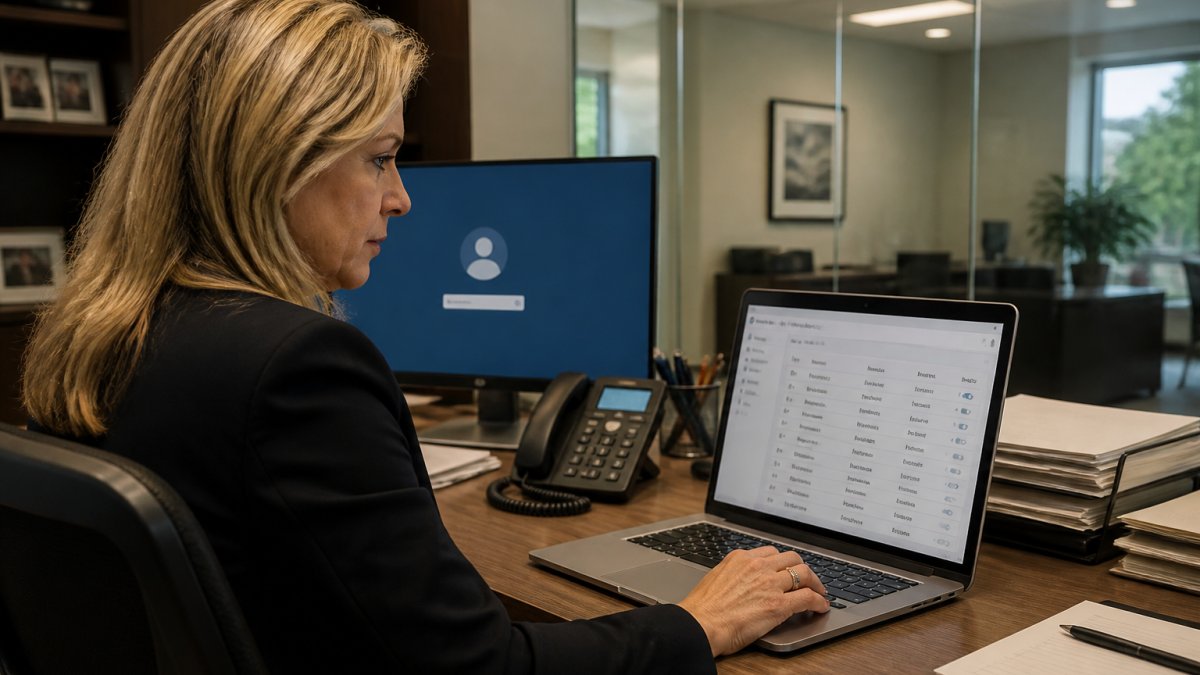
Multi-Factor Authentication and Identity Management
Multi-factor authentication (MFA) is the single highest-value control you can add. It blocks the most common attack path: a stolen password.
Pair MFA with identity management that ties each login to a named person, not a shared inbox. Shared credentials are a common mistake. They make it impossible to trace who accessed a file.
Step 2: Encrypt Data at Rest and in Transit Across Your LPO Workflow
Encryption at rest protects stored files; encryption in transit protects them while they move between your firm and your LPO team. To understand why remote law firms need data encryption and how to apply it, read this deeper explanation. You need both.
- Use encrypted email or a secure file portal for every transfer
- Require full-disk encryption on all remote devices
- Never send case files through personal email or consumer chat apps
Step 3: Build a Law Firm Cybersecurity Checklist for Vendor Oversight
A law firm cybersecurity checklist turns vendor review into a repeatable process instead of a gut call. Third-party risk is where many breaches begin.
Your checklist should confirm each vendor’s: For concrete criteria, see how to vet remote legal talent for data security.
- Written security policy and data classification rules
- Incident response plan and breach notification timeline
- Encryption standards and access controls
- Staff vetting and training records
Vulnerability Assessment, Patching, and System Hardening
Run regular vulnerability assessments and apply security updates on a fixed schedule. System hardening means turning off unused services and closing open ports. Boring work, but it removes the gaps attackers scan for.
Step 4: Train Staff and Build a Human-Centric Security Culture
Most breaches start with a person, not a server. A useful approach to security training focuses on making reporting a mistake the fastest, safest thing an employee can do, rather than scaring staff into compliance. In LPO work that distinction matters, because the person who clicks a phishing link is often the same person who notices the anomaly first, and a culture that punishes the click guarantees the anomaly goes unreported.
Build the program on four mechanics.
Scenario training tied to actual LPO workflows. Generic phishing slides do not prepare a paralegal for a fake client instruction asking them to resend a discovery production to a new email address. Train on the scenarios your team actually faces: spoofed partner emails, lookalike client domains, requests to move files to personal cloud accounts, and urgent “wire instructions” changes. Short, frequent sessions beat one annual slideshow; quarterly phishing simulations with a debrief, not a leaderboard, are a common pattern.
A no-blame reporting channel. Publish a single reporting path (a dedicated address or button) and state in writing that self-reported mistakes are handled as a process fix, not a disciplinary matter, unless there is evidence of intent. Track time-to-report as a metric. A team that reports in minutes is safer than a team that reports in days.
Role-based depth. Front-line reviewers need to recognize social engineering and handle files correctly. Team leads need to approve access changes and spot unusual download patterns. Account managers need to understand the contractual notification clauses they may have to trigger. One curriculum for everyone trains no one well. (Source: ABA’s Formal Opinion 483)
Reinforcement through the workflow, not just the calendar. Put a one-line security reminder in the matter intake checklist and the file-transfer step, so the control appears where the decision is made. Recognize good catches publicly, the analyst who flags a suspicious request should get more visibility than the one who closes the most tickets.
Measure the culture, not just completion rates. Track phishing simulation report rates, time-to-report, and the volume of self-reported near misses. A rising near-miss count is usually a healthy signal: people trust the channel.
Watch out: a training program that is mandatory but never referenced again signals to staff that security is a checkbox, and the reporting channel goes quiet.
Step 5: Prepare a Data Breach Response Plan Template Before You Need It
A data breach response plan template is a written playbook that tells your team exactly what to do in the first hours of an incident. Build it before you need it. Securing the integrity of this sensitive information requires robust data backup practices that ensure recovery remains possible even when external systems are compromised.
Structure the template around four phases, and assign a named owner to each.
1. Detection and triage (first 24 hours). Name who receives the alert, the LPO account manager, the firm’s IT contact, or both, and the single person authorized to declare an incident. Record the time of discovery, the systems involved, and the categories of data exposed (intake forms, discovery productions, draft pleadings, client communications).
2. Containment and evidence preservation. Revoke compromised credentials, isolate affected devices, and preserve logs before anyone “cleans up.” In LPO work, containment also means pausing the affected matter workflow and confirming which client files the vendor was handling at the time. Preserve chain-of-custody records, screenshots, timestamps, access logs, because they may be needed for the client notification, the insurer, or a later regulatory inquiry.
3. Notification and communication. The plan should pre-draft the client notice, identify who signs it, and set an internal deadline that is shorter than any external one. Notification duties vary: state breach notification statutes, contractual notice clauses in the LPO engagement letter, and sector rules can each impose a different clock. The FTC’s data breach guidance is a starting reference for consumer-data obligations, but it does not replace a state-by-state review.
4. Post-incident review. Within a set window after closure, document root cause, what the plan got wrong, and the remediation owner. Feed the findings back into vendor scorecards and training.
Your plan should name, at minimum:
- The incident response team and who leads it, with a named alternate
- Steps for incident containment and evidence preservation
- Client, insurer, and regulator notification duties with owners and target timelines
- A communication script for client-facing staff so they do not improvise
- A post-incident review process with a fixed completion date
Test the plan with a tabletop exercise at least twice a year, and include the LPO team in at least one of those exercises. A plan that has never been rehearsed with the vendor is a document, not a capability.
Watch out: the most common failure is a plan that names roles but not deputies, if the incident response lead is on vacation, the clock still runs.
Step 6: Know Your FTC Data Breach Reporting Requirements
FTC data breach reporting requirements apply to many businesses that hold consumer data, and law firms are not automatically exempt. The FTC has consumer protection authority that can set notification duties in certain cases. Confirm your specific obligations with counsel, and check the FTC’s data breach guidance for current rules.
Step 7: Secure Remote Work and Apply AI-Driven Threat Detection
Remote work security protocols and AI-driven threat detection are the two angles most LPO guides skip. Remote staff need a secured home network, a company-managed device, and no work on shared family computers. For a guide to secure remote staffing arrangements for lawyers, see the Secure Remote Staffing Lawyers Guide.
AI tools now flag unusual file access patterns faster than manual review. Use them as an early-warning layer, not a replacement for human oversight.
| Step | Core Control | Frequency |
|---|---|---|
| Access control | Least privilege, MFA | Continuous |
| Encryption | At rest and in transit | Always on |
| Vendor oversight | Checklist review | Before onboarding, then yearly |
| Training | Phishing simulation | Quarterly |
| Response plan | Tabletop test | Twice a year |
| FTC reporting | Legal review | Yearly |
| Remote security | Device and network checks | Monthly |
Frequently Asked Questions
How do you maintain attorney-client privilege while outsourcing data?
Attorney-client privilege survives outsourcing only if you control who touches the data and how it moves. Put a written confidentiality and data-handling clause in the vendor agreement, restrict each virtual staff member to the specific matters they support, and log every access event. Keep privileged files inside a system you administer rather than a personal drive, and confirm the vendor’s staff are trained on privilege rules. When a breach occurs, documented access controls and a clear data breach response plan are what let you show the privilege was protected.
What should a law firm cybersecurity checklist include for vetting an LPO provider?
A workable law firm cybersecurity checklist covers identity management (unique accounts, multi-factor authentication), encryption at rest and in transit, network segmentation between client matters, endpoint detection, patch cadence, and a named incident response team. Ask for the vendor’s most recent security audit or vulnerability assessment, its data classification and retention policy, and its breach notification timeline. Also confirm how staff are screened before they touch litigation files and what happens if an assigned person leaves. Get these answers in writing before signing.
What are the FTC data breach reporting requirements for legal service providers?
Federal and state rules on security programs and breach notification may apply to law firms and their vendors, so check the current requirements with the official sources or with counsel. State breach notification laws add their own deadlines and content rules, and they vary, so check the statute for each state where your clients reside. Build the notification step into your data breach response plan template rather than working it out under pressure.
What are the primary security risks in legal process outsourcing?
The main risks are over-broad access (staff seeing matters they don’t work on), unencrypted file transfer between firm and vendor, weak identity management on shared accounts, and unclear data lifecycle management that leaves copies on personal devices. Remote work adds unmanaged networks and personal email into the mix. Phishing against legal staff is a common entry point because case files are high-value. Each risk maps to a control: privileged access management, encryption in transit, multi-factor authentication, and a retention policy that deletes matter data when the engagement ends.
Mitigating data breaches in LPO comes down to disciplined controls and trained people. Bluebook Helpers builds security into every remote staffing engagement, with hands-on training tailored to your firm’s software, continuous performance monitoring, and no-cost staff replacement if issues arise. Get started with Bluebook Helpers and protect client confidentiality while you scale capacity.


