

Quick Summary
To train virtual legal assistants for document drafting, use a written SOP, document-specific playbooks, and approved templates, then move the assistant from supervised drafting to independent work over four weeks. Measure readiness with a drafting test and a review checklist before granting more authority.
- Write a master SOP with five sections covering scope, intake, templates, self-check and handback.
- Build a one-page playbook per high-volume document, including an annotated model draft and a redline pair.
- Run a four-week plan: firm style first, then templates, mid-risk drafting and independent drafting.
- Set a passing bar, such as fewer than three attorney corrections on a standard document, before unsupervised drafting.
- Require a documented pre-submission checklist, and confirm citations against official sources, not summaries.
Table of Contents
- Why Document Drafting Needs Structured Training for Virtual Legal Assistants
- Build a Legal Document Drafting SOP for Virtual Assistants
- Assemble Legal Document Drafting Templates for Law Firms
- Create a Virtual Legal Assistant Training Plan, Week by Week
- Use a Legal Assistant Document Review Checklist Before Attorney Sign-Off
- Protect Confidential Information, Version Control and Citation Checks
- Set Up Feedback Loops and Schedule Your First Drafting Trial
- Frequently Asked Questions
Last Updated: October 27, 2026
Document drafting is where a virtual legal assistant either saves an attorney hours or creates risk. A small error in a demand letter, a missed citation or a template pulled from the wrong matter can cost real money. This guide walks through how to train virtual legal assistants for document drafting. Virtual legal assistant training works best when it is structured, documented and measured, not left to chance.
Why Document Drafting Needs Structured Training for Virtual Legal Assistants
Most firms assume a capable assistant will pick up drafting by watching. That assumption breaks down fast when the assistant works remotely and never sits near a supervising attorney.
Structured training fixes three common problems:
- Inconsistent formatting across documents from different assistants
- Unclear scope, so assistants guess where their drafting authority ends
- Slow review cycles because attorneys rewrite work they never explained
A legal document drafting SOP turns tribal knowledge into a repeatable process. Without one, every new assistant starts from scratch.
Build a Legal Document Drafting SOP for Virtual Assistants
A standard operating procedure tells the assistant exactly how a document gets built, checked and handed back. Keep it short enough to use and detailed enough to follow. The mistake most firms make is writing one firm-wide SOP and stopping there. Drafting risk lives at the document level, so the strongest approach is a short master SOP plus a one-page playbook for each document type the assistant is cleared to touch.
The master SOP: five sections that actually get used
Write the master SOP as numbered actions, not aspirations. “Pull the client name from the intake form” works better than “ensure accurate client information.” A workable master SOP has five parts:
- Scope and authority. List the document types the assistant may draft, the types that require an attorney first draft, and the types the assistant may never touch. State plainly that the assistant prepares documents only at an attorney’s direction and never advises a client on strategy.
- Intake and source data. Name the single source of truth for client names, matter numbers, party names, dates and amounts, usually the practice management system, not an email thread. Require the assistant to flag any field that cannot be sourced rather than guess.
- Template selection. Map each document type to one approved template and one alternate, with a one-line rule for when the alternate applies.
- Build and self-check. Point to the document-specific playbook and the pre-submission checklist (covered below).
- Handback and sign-off. State who reviews, what “ready for review” means, and how the assistant records that the self-check was completed.
Document-specific playbooks
A playbook is a single page per document type that shows the assistant what “good” looks like. Build one for each high-volume document, demand letters, engagement letters, discovery responses, routine motions, notices and client correspondence. Each playbook should contain:
- An annotated model draft. Take a redacted, attorney-approved example and mark it up: highlight locked language, bracket every variable field, and add margin notes explaining why a clause is worded the way it is. This is the single highest-value training artifact a firm can produce, because it converts an attorney’s tacit judgment into something a remote assistant can study.
- A redline pair. Show a before-and-after version of a real draft with the attorney’s corrections visible. Assistants learn faster from seeing what a supervising attorney changed than from reading a rule about it.
- A required-elements list. Enumerate the parts that must appear, caption, parties, jurisdictional statement, signature block, certificate of service, so nothing is omitted under deadline pressure.
- Common failure modes. Note the two or three errors attorneys most often correct on that document type, such as wrong court header, stale defined terms, or a missing exhibit reference.
- Escalation triggers. List the facts that require stopping and asking: missing party information, a conflict flagged in the system, an unfamiliar jurisdiction, or a request that edges toward legal advice.
Versioning the SOP itself
An SOP that drifts out of date is worse than none, because assistants follow it confidently into error. Treat the SOP and playbooks as controlled documents:
- Give each a version number and an effective date in the header.
- Keep one current copy in a single shared location; archive superseded versions in a read-only folder.
- Require an attorney to approve any change, and log what changed and why.
- Review the set on a fixed cadence, quarterly is a common pattern, and immediately after any correction that reveals a gap.
When an attorney corrects a draft, the default should be to ask whether the SOP or playbook would have prevented the error. If yes, update the document, not just the draft. That single habit is what separates a training program that improves from one that resets with every new hire.
Where templates fit
Templates give assistants a starting point that already reflects firm style, and they belong inside the playbook structure rather than in a separate pile. Build each template with locked sections the assistant cannot edit, clearly marked fields like [CLIENT NAME] or [MATTER NUMBER], and drafting notes explaining when to use an alternate clause. Store templates in one location with version dates, and remove outdated versions so no one pulls an old form. A template without a playbook tells the assistant what to fill in; a playbook tells the assistant what to check before handing it back. For a look at how outsourced legal support is structured and implemented, see outsourcing legal intake for attorneys.
The article’s SOP guidance can be scanned at a glance in the table below, which pairs each playbook element with its purpose.
| Playbook element | Purpose | Key detail |
|---|---|---|
| Annotated model draft | Turns attorney judgment into study material | Highlight locked language, bracket variables |
| Redline pair | Shows what attorneys actually change | Before-and-after of a real draft |
| Required-elements list | Prevents omissions under deadline | Caption, parties, signature block, certificate of service |
| Common failure modes | Targets known attorney corrections | Two or three frequent errors per document type |
| Escalation triggers | Defines when to stop and ask | Missing party info, flagged conflict, unfamiliar jurisdiction |
| Version control | Stops assistants following outdated SOPs | Version number, effective date, quarterly review |
Assemble Legal Document Drafting Templates for Law Firms
Templates give assistants a starting point that already reflects firm style. A template bank should cover the documents your firm produces most often, such as engagement letters, discovery responses or routine correspondence.
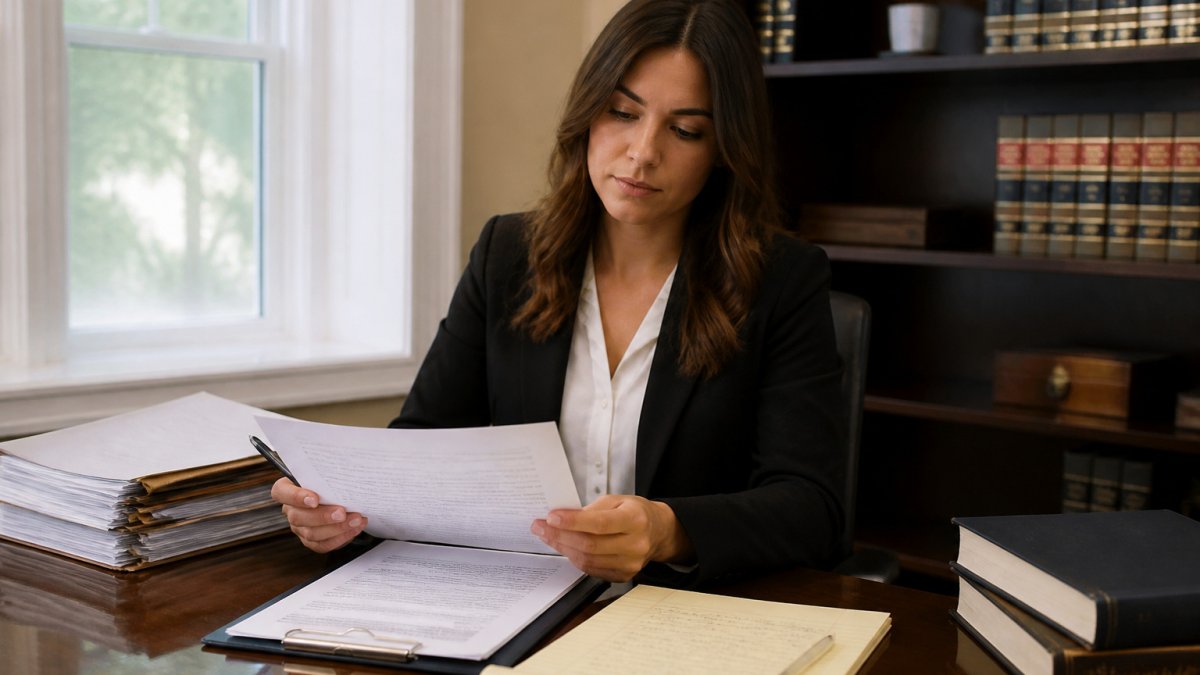
Build each template with:
- Locked sections the assistant cannot edit
- Clearly marked fields, like [CLIENT NAME] or [MATTER NUMBER]
- Drafting notes explaining when to use an alternate clause
Store templates in one location with version dates. Remove outdated versions so no one pulls an old form.
Create a Virtual Legal Assistant Training Plan, Week by Week
A four-week plan gives structure without overwhelming a new hire. Adjust the pace to the assistant’s experience. (Source: guidelines on best practices for legal document management)
- Week 1: Firm style, terminology and the SOP. Assistant drafts nothing new yet.
- Week 2: Template use on low-risk documents. Attorney reviews every draft.
- Week 3: Drafting on mid-risk documents with spot checks.
- Week 4: Independent drafting on approved types, with a final trial review.
Drafting Competency Tests and Quality Standards
Measure readiness before granting more authority. A short drafting test works well: give the assistant a fact pattern and a template, then score the result.
Score on:
- Accuracy of facts pulled from the source material
- Correct template selection
- Citation format and completeness
- Number of attorney corrections needed
Set a passing bar, such as fewer than three corrections on a standard document, before the assistant drafts unsupervised.
Jurisdiction-Specific Boundaries and Unauthorized-Practice Safeguards
Assistants must know what they cannot do. Drafting a form is different from giving legal advice about which form to use. Under U.S. rules, unauthorized practice of law is a serious issue, and the boundary depends on your state’s rules. Maintaining this strict separation of duties requires mastering effective delegation strategies to ensure that your virtual assistant remains a productive support tool rather than a liability.
Write down the limits in the SOP:
- The assistant prepares documents only at an attorney’s direction
- The assistant never advises a client on legal strategy
- The attorney makes every legal judgment and signs every filing
Check your state bar’s guidance on nonlawyer assistants before finalizing these rules. The American Bar Association’s Model Rules of Professional Conduct (Rule 5.3) address supervision of nonlawyer assistance and are a useful starting point.
Use a Legal Assistant Document Review Checklist Before Attorney Sign-Off
A review checklist catches errors before they reach the attorney. Give every assistant the same list.
Before submitting a draft, the assistant confirms:
- All client and matter names match the intake form
- Dates are correct and in the right format
- Every blank field is filled or flagged
- Citations are complete and checked against the source
- No template notes remain in the document
- The version number is updated
A checklist turns review from a vague feeling into a documented step.
Protect Confidential Information, Version Control and Citation Checks
Confidentiality matters more when the assistant works remotely. Require secure file access, password-protected devices and firm-approved software only. Never let drafts sit in personal email or unsecured cloud folders.
Version control prevents confusion. Name files consistently, such as [MatterNumber]_[DocType]_v2.docx, and keep a single current version. Most attorney corrections happen because someone edited an outdated copy.
Citation checks are non-negotiable. Assistants should verify every citation against an official source, not a summary. A wrong citation in a filed document reflects on the attorney.
A common mistake is treating generative AI tools as a source of verified law. If your firm allows AI assistance, require that every AI-generated sentence be checked against primary sources and disclosed internally.
Set Up Feedback Loops and Schedule Your First Drafting Trial
Training does not end at week four. Set up a regular feedback loop so drafting quality keeps improving.
- Review the first ten drafts closely, then move to periodic sampling
- Track correction types, not just totals, to spot patterns
- Update templates and the SOP whenever a correction shows a gap
Schedule your first drafting trial with a low-stakes document, such as an internal memo or routine correspondence. Review the result together, note what worked, and adjust the plan before expanding the assistant’s scope.
Book a consultation.
Frequently Asked Questions
How do you train a virtual legal assistant to draft documents?
Start with a written SOP for each document type, then give the assistant a set of approved templates and annotated sample drafts. Run a short practice assignment on a closed matter, have an attorney mark every correction, and repeat until the assistant meets your accuracy standard. Pair each lesson with a checklist so the assistant knows exactly what to verify before handing work back.
Can a virtual legal assistant draft legal documents without attorney review?
A virtual legal assistant’s role should be defined in the firm’s SOP. Confirm which tasks fall within the assistant’s role under the applicable rules on the unauthorized practice of law.
What should a legal document-drafting SOP include?
A useful SOP names the document type, its purpose, the template to use, required inputs such as client details and case numbers, formatting rules, citation standards and the review checklist. It should also list escalation triggers, meaning situations where the assistant must stop and ask the attorney, such as unusual clauses or conflicting facts. Keep the SOP short enough to use in practice, and update it whenever a template or local rule changes.
How do you measure the quality of legal document drafts?
Track measurable standards, such as the number of attorney corrections per draft and citation and formatting errors caught in review. A review checklist can help assess drafts and identify areas for additional training.


