

Table of Contents
- Why Small Firms Are Turning to Remote Legal Staff
- Step 1: Establish Clear Communication Protocols and Expectations
- Step 2: Implement Data Security and Confidentiality Standards
- Step 3: Create an Onboarding Remote Legal Staff Checklist
- Step 4: Select and Master Virtual Law Firm Management Software
- Step 5: Set Up Best Practices for Remote Legal Teams
- Step 6: Build Team Culture and Work-Life Balance
- Common Mistakes When Managing Remote Legal Staff for Small Firms
Last Updated: July 22, 2026
Managing remote legal staff for small firms presents unique challenges, but the approach differs fundamentally from supervising in-office teams. According to the American Bar Association, firms implementing structured remote management protocols report 40% higher staff retention and improved case handling efficiency. This guide covers how to manage remote legal staff for small firms with practical systems that prevent common pitfalls most solo practitioners and small partnerships encounter.
The core challenge isn’t technology, it’s creating accountability, maintaining confidentiality, and building team cohesion across distance. Small firms lack HR departments, compliance officers, and IT infrastructure. You need systems that work for lean operations while protecting client data and maintaining professional standards.
Why Small Firms Are Turning to Remote Legal Staff
Remote legal staff solve a specific problem: access to specialized talent without the overhead of full-time local hiring. A paralegal in a major metropolitan area costs $50,000-$75,000 annually plus benefits and equipment. Remote staff trained in legal operations deliver equivalent work at a fraction of that cost while providing flexibility as caseload fluctuates.
After 2024, many small firms discovered that remote paralegals, case managers, and intake specialists could handle document preparation, client communications, legal research, and administrative work as effectively as in-office staff. The real advantage is capacity: a solo practitioner can take on 30% more cases without burning out with reliable remote support handling intake, document organization, and follow-up.
However, this only works with clear expectations upfront. Remote work in legal settings requires more structure, not less. The confidentiality risks and accountability challenges are real.
Remote legal staff allow small firms to scale capacity and reduce overhead simultaneously, but only when you implement systematic management practices from day one.
Step 1: Establish Clear Communication Protocols and Expectations
Communication breakdowns are the primary reason remote legal staff arrangements fail. Without deliberate protocols, you end up with unclear timelines, missed deadlines, and frustration. Document your communication expectations before the first day.
Choose Your Communication Tools
Select no more than three communication channels and assign specific uses to each:
- Email for formal documentation, client communications, and anything requiring a record
- Slack or Teams for quick questions, status updates, and real-time collaboration
- Video calls for onboarding, complex case discussions, and weekly check-ins
Establish response time expectations clearly. For client-facing work, define what "urgent" means. Is it same-day response or within four hours? Document this explicitly in your onboarding materials.
Vague communication expectations create liability. If a staff member misses a deadline because they didn’t know it was urgent, you’re accountable to the client. Define urgency levels and response times in writing before hiring.
Document Expectations in Writing
Create a one-page remote work agreement covering:
- Work hours – Required hours or flexibility as long as deadlines are met?
- Communication availability – When must they be reachable?
- Response time standards – How quickly must they respond to emails and client requests?
- Deliverable quality standards – What does "finished" look like?
- Confidentiality acknowledgment – Explicit statement that all client information is privileged
This agreement eliminates assumptions and gives you grounds to address performance issues objectively.
Step 2: Implement Data Security and Confidentiality Standards
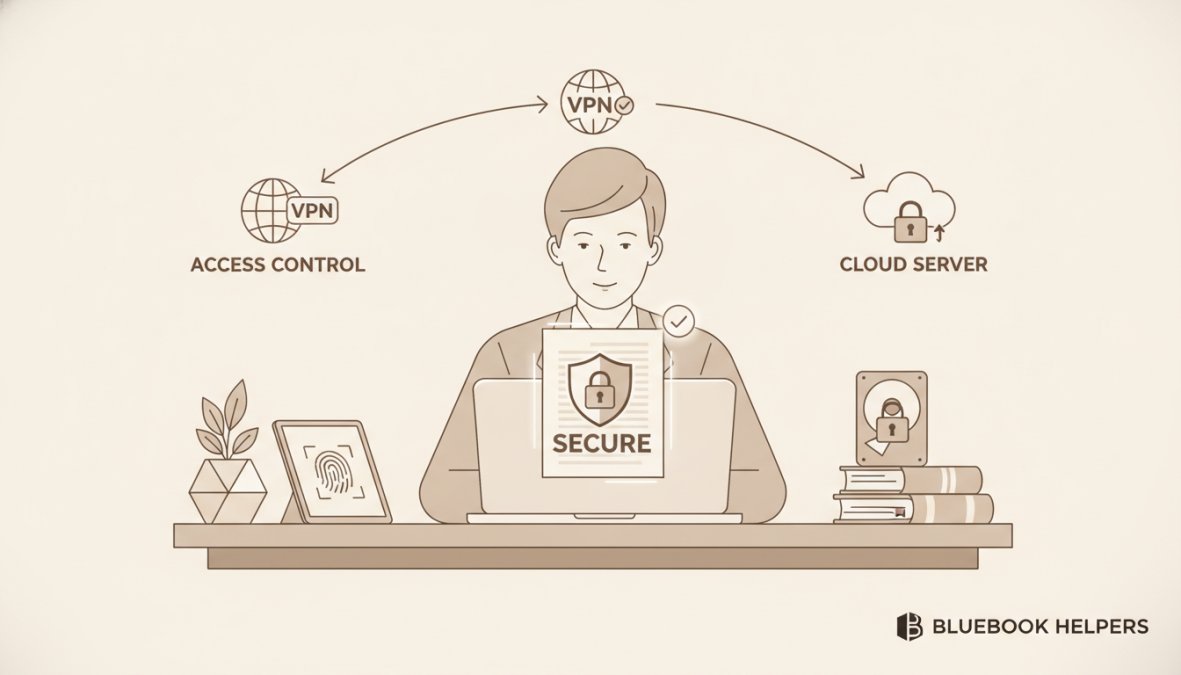
This is non-negotiable for legal work. Client information is privileged and confidential. If your remote staff member’s laptop is compromised or they access client files on an unsecured network, you’ve violated ethical obligations and exposed your firm to liability.
Vetting and Background Checks
Conduct a background check before anyone accesses client information. Verify employment history and confirm no history of data breaches or confidentiality violations in previous legal roles.
Ask specific questions during interviews:
- Have you worked in legal environments before? What security protocols did they use?
- How do you secure sensitive information on your personal devices?
- Have you signed non-disclosure agreements in previous roles?
Technical Security Requirements
Require these non-negotiable standards:
- VPN connection – Remote staff must use a VPN when accessing firm systems or client information
- Multi-factor authentication (MFA) – Any account accessing client data requires MFA
- Encrypted devices – Work devices must use full-disk encryption
- No public networks – Prohibit accessing client information on public WiFi
- Screen privacy – Use privacy screens when working in public spaces
- Regular software updates – Operating system, browsers, and security software must be current
Provide written documentation and verify compliance during onboarding. ABA Legal Technology Survey on cybersecurity requirements shows 78% of law firms have experienced a security incident, most preventable with basic protocols.
Use practice management software that logs access to client files. When a staff member opens a document, the system records who accessed it and when, creating accountability and detecting unauthorized access.
Step 3: Create an Onboarding Remote Legal Staff Checklist
Poor onboarding causes remote staff to fail in their first 30 days. A structured process prevents this.
Pre-Start Preparation
Before the first day, send:
- Firm overview document – Practice areas, client types, case workflows, and firm values
- Remote work agreement – Communication and confidentiality expectations
- Technology setup guide – Step-by-step instructions for VPN, MFA, and firm software
- Welcome video – 5-minute recording introducing yourself and outlining their first week
- Software access credentials – Login information sent securely
First Week Orientation
Schedule daily check-ins during the first week:
- Day 1 – 1-hour video call covering firm overview and role expectations. Set up technology while on the call for real-time troubleshooting.
- Day 2 – Walk through practice management software and file naming conventions.
- Day 3 – Introduce communication workflows and case management system.
- Day 4 – Review quality standards for their specific role with examples.
- Day 5 – Assign a low-stakes task and observe their work process.
After the first week, schedule weekly check-ins for the first month, then move to biweekly.
Step 4: Select and Master Virtual Law Firm Management Software
The right software makes remote management exponentially easier. Choose based on your firm’s workflow, not popularity.
Essential Software Categories
Most small firms need:
Practice Management Software – Clio, MyCase, and Rocket Matter organize cases, clients, documents, and timekeeping. Remote staff should have access from day one with appropriate permissions.
Document Management – ShareFile or Box organize templates and frequently accessed documents.
Time Tracking – Harvest or Toggl for hourly billing with detailed reporting.
Communication Tools – Slack, Microsoft Teams, or Google Chat for consistent communication.
The key is integration. If your practice management software doesn’t integrate with time tracking, you’ll spend hours manually syncing data.
Integration and Training
Understand the software yourself before training remote staff. Create a written guide specific to your firm’s setup covering:
- How to open and organize a new case
- How to upload and organize documents
- How to log time
- How to communicate through the software
- Common mistakes and how to avoid them
Walk remote staff through this guide during onboarding.
The best practice management software is the one your firm will actually use consistently. Choose software that fits your workflow, not the other way around.
Step 5: Set Up Best Practices for Remote Legal Teams
Managing performance remotely requires explicit metrics and regular check-ins.
Performance Metrics and Accountability
Define specific, measurable standards for each role:
For intake specialists:
- Intake forms completed per week
- Accuracy rate (percentage with zero errors)
- Client callback time
For paralegals:
- Documents prepared per week
- Error rate
- Deadline compliance
- Communication response time
For case managers:
- Cases managed simultaneously
- Deadline compliance
- Communication response time
Track these metrics weekly using your practice management software’s reporting features.
Regular Check-Ins and Feedback
Schedule weekly 15-30 minute video calls with each remote staff member:
- What went well this week? – Acknowledge good work specifically
- What were the challenges? – Give space to discuss obstacles
- Performance review – Share metrics from the past week
- What do you need from me? – Ask directly
- Next week’s priorities – Set specific goals
Document these conversations briefly to create accountability.
Step 6: Build Team Culture and Work-Life Balance
Remote staff can feel isolated and disconnected. Small firms have an advantage, you can build genuine relationships more easily than large firms.
Foster Connection Across Distance
Acknowledge their work publicly. When someone does good work, mention it. Schedule occasional virtual team meetings beyond work discussions, monthly calls about industry news, professional development, or personal updates build connection.
Consider an annual in-person meeting if your budget allows. Even one day together strengthens relationships significantly.
Support Professional Development
Remote staff should have opportunities to grow professionally through continuing legal education, software training, mentorship, and regular feedback. When remote staff see a path for growth, they stay longer and perform better.
Common Mistakes When Managing Remote Legal Staff for Small Firms
Unclear expectations. Document everything upfront rather than assuming staff will figure out your processes.
Inconsistent communication. Consistency matters more than frequency. Be predictable in how and when you communicate.
Neglecting security. Client confidentiality isn’t negotiable. Every remote staff member needs VPN, MFA, and encryption.
Poor onboarding. Invest in structured onboarding rather than sending someone a login and hoping they figure it out.
Avoiding difficult conversations. Address performance issues early and directly.
No performance metrics. Define metrics and track them to manage fairly.
Isolation. Regular communication, recognition, and development opportunities prevent disconnection and turnover.
Overcomplicating tools. Use integrated tools and keep it simple rather than juggling five different platforms.
Managing remote legal staff for small firms is fundamentally about creating systems that work for lean operations. The firms that succeed treat remote staff management as a deliberate process: clear communication protocols, documented security standards, structured onboarding, objective performance metrics, and genuine relationship building. Book a consultation to see how remote legal staff can increase your firm’s capacity while reducing overhead by up to 50%.
Frequently Asked Questions
How can I ensure remote legal staff understand confidentiality requirements for sensitive client files?
Establish a documented confidentiality agreement signed before onboarding. Require multi-factor authentication (MFA) and VPN access for all client systems. Conduct initial training on ethical obligations specific to your firm's practice areas, and include confidentiality clauses in your remote work policy. Regular reminders and periodic spot-checks of file access logs help maintain accountability. Providers like Bluebook Helpers vet staff for legal confidentiality experience and monitor compliance continuously, reducing your risk significantly.
What virtual law firm management software should a small firm implement for remote legal staff?
Choose practice management software (Clio, MyCase) for case and client management, task management tools (Asana, Monday.com) for workflow tracking, document management systems for secure file storage, and time tracking software for billing accuracy. Prioritize cloud-based systems that integrate with your existing tools. Start with one core platform and add others as your team grows. Ensure all software supports multi-factor authentication and encrypted data storage. The best choice depends on your firm's specific workflows and budget.
How do I manage remote legal staff performance and accountability without micromanaging?
Set clear, measurable performance metrics tied to specific deliverables (e.g., documents reviewed per week, intake calls completed). Use time tracking and task management tools to monitor progress transparently. Schedule weekly check-ins to discuss blockers and wins rather than constant status updates. Document expectations in writing so staff understand success criteria upfront. Focus on outcomes rather than hours logged. Regular feedback and milestone reviews help staff stay accountable while preserving autonomy and morale.
What should be included in an onboarding remote legal staff checklist?
Your checklist should cover: system access setup (email, practice management software, VPN), confidentiality and ethics training, firm policies and procedures, introduction to key contacts, overview of current caseload, hands-on training with firm-specific tools, and initial task assignments with clear deadlines. Include a buddy or mentor assignment for the first 30 days. Schedule daily check-ins during week one, then weekly thereafter. Document all training completed. A structured onboarding process reduces errors, accelerates productivity, and helps remote staff feel integrated from day one.

