

Table of Contents
- Why Managing Remote Legal Staff Securely Matters
- Establish Data Security and Confidentiality Protocols
- Implement Secure Remote Access and VPN Usage
- Cybersecurity for Remote Law Firms: Essential Tools and Practices
- ABA Ethics Rules for Remote Work and Compliance Standards
- Choose the Best Remote Legal Practice Management Software
- Onboarding and Training Remote Staff for Security Compliance
- Monitor, Audit, and Maintain Accountability
Last Updated: August 6, 2026
Why Managing Remote Legal Staff Securely Matters
Managing remote legal staff securely is essential for law firms of all sizes. When your team works across multiple locations, client data, case files, and confidential communications live on laptops, phones, and cloud servers scattered across the country. A single breach violates attorney-client privilege, triggers regulatory penalties, and destroys client trust.
Many practices still treat remote work security as an afterthought rather than a foundational requirement. Managing remote legal staff securely requires deliberate infrastructure, clear protocols, and constant monitoring. It’s not optional.
At Bluebook Helpers, we’ve seen firsthand how firms struggle with this balance: they want the flexibility and cost savings of remote staff, but they’re terrified of losing control over confidentiality. The solution isn’t to avoid remote work. It’s to build security into every layer of how remote staff operate, from hiring through daily case handling.
This guide covers the technical, operational, and ethical frameworks you need to manage remote legal staff securely: data encryption, access control, compliance standards, incident response planning, and the tools that make it all work together.
Establish Data Security and Confidentiality Protocols
Data security is the foundation that everything else rests on. Without strong confidentiality protocols, even the most talented virtual paralegal becomes a liability.
Encryption and Secure File Sharing
Encryption is your first line of defense. Every file containing client information should be encrypted both in transit (moving between office and remote worker) and at rest (sitting on a server or hard drive). End-to-end encryption ensures only authorized people can read the data, even if someone intercepts it.
For remote legal staff, this means using encrypted email services for sensitive communications, encrypted file-sharing platforms instead of unencrypted email attachments, and encrypted cloud storage for case files.

Secure file sharing platforms let remote staff access and edit documents without downloading them to personal devices, reducing the risk of files being left on unsecured computers. Look for platforms offering granular access controls so you can specify exactly which staff members access which folders and revoke access instantly if someone leaves.
Document retention policies should specify how long files stay on servers, when they’re deleted, and who can access archived files. These policies protect you legally and operationally.
Access Control and Multi-Factor Authentication
Multi-factor authentication (MFA) is non-negotiable. Staff need more than a password to log in; they need a second verification form, usually a code sent to their phone or generated by an authentication app. This stops attackers who’ve stolen a password from accessing your systems.
Role-based access control (RBAC) assigns permissions based on job function. A paralegal handling intake shouldn’t access financial records. A contract reviewer shouldn’t modify litigation case notes. Implement the principle of least privilege: grant minimum access required for each role. Review access permissions quarterly and revoke access immediately when someone changes roles or leaves.
Implement Secure Remote Access and VPN Usage
A Virtual Private Network (VPN) encrypts all internet traffic from a remote worker’s device. Without it, someone on the same coffee shop WiFi could intercept unencrypted data. With a VPN, all traffic tunnels through an encrypted connection to your firm’s network.
Require all remote staff to use a VPN when accessing firm systems or client data. Build it into onboarding as a mandatory step before anyone gets access. Some firms use device management software that prevents access unless a VPN is active.
Disable split tunneling, which allows some traffic to bypass the VPN while other traffic goes through it. Force all traffic through the VPN for maximum security.
Monitor VPN logs to track who logs in, when, from where, and for how long. Unusual patterns, someone logging in at 3 a.m. from a different country or accessing 100 times more data than normal, warrant investigation.
Cybersecurity for Remote Law Firms: Essential Tools and Practices
Cybersecurity extends beyond VPNs and encryption. It’s a combination of tools, practices, and mindset. Your remote staff need to understand that security is their responsibility too.
Endpoint Security and Hardware Requirements
Endpoints, laptops, desktops, phones, are potential entry points for attackers. Endpoint security software monitors these devices for malware, suspicious behavior, and unauthorized access attempts.
Require remote staff to use company-provided devices whenever possible. If staff must use personal devices, implement mobile device management (MDM) to enforce security policies remotely, requiring screen locks, password complexity, and remote wiping if devices are lost or stolen.
Hardware requirements should include solid-state drives with full-disk encryption, current operating systems with automatic security updates, active antivirus and anti-malware software, enabled firewalls, and automatic screen lock after 10-15 minutes of inactivity.
Physical security matters too. Remote staff shouldn’t work on client files in public spaces. Require staff to work in private spaces where screens aren’t visible to others, especially critical for litigation files with sensitive information.
Incident Response Planning for Remote Breaches
An incident response plan determines what you do when something goes wrong, a breach, lost device, or phishing attack. Your plan determines whether you contain it in hours or spend months cleaning up.
Your plan should include a clear chain of command, immediate containment steps (isolate affected device, revoke access, change passwords), investigation procedures, notification protocols, and legal obligations (reporting to clients, regulators, law enforcement).
For remote staff specifically, address how you’ll handle breaches involving remote devices or compromised VPN connections. Can you remotely wipe a lost laptop? Can you force password resets across all systems? Can you pull logs showing exactly what data was accessed? Answer these questions now, not after a breach.
Conduct incident response drills quarterly. Run simulated breach scenarios and walk through your response to identify gaps before an actual emergency.
ABA Ethics Rules for Remote Work and Compliance Standards
The American Bar Association requires lawyers to protect client confidentiality (Model Rule 1.6) and maintain competence, including technology security understanding (Model Rule 1.1). These are ethical obligations, not optional guidelines.
Your firm’s remote work policy should explicitly address confidentiality. Remote staff should acknowledge in writing that they understand their obligations to protect client information. Working from home doesn’t reduce these obligations; it increases the burden because staff are responsible for securing their own environment.
Compliance standards vary by jurisdiction and practice area. A firm handling healthcare law needs to understand HIPAA. A firm with international clients needs to understand GDPR. A firm handling financial matters needs to understand SOX. Your remote work infrastructure must meet these standards.
Document your compliance efforts. Keep records of security audits, staff training, access logs, and incident reports. These documents prove you took reasonable steps to protect client data and defend against negligence allegations.
Choose the Best Remote Legal Practice Management Software
Remote legal practice management software is where case files live, where staff collaborate, and where you track time and billing. The right software makes security easier.
Case Management and Document Security
Case management software should offer document version control, audit trails, granular permissions, automatic backups, and encryption at rest and in transit. Staff should access documents through the software interface where access is logged and monitored, not download entire case files to personal computers.
Some practice management platforms are built for remote teams with security in the architecture. Others are legacy systems retrofitted for remote access and usually weaker. Choose platforms designed for remote work.
Performance Monitoring and Productivity Tracking
Monitoring remote staff productivity ensures accountability. Time tracking software should show what staff members are working on, how long they spent on each task, and whether they’re meeting deadlines. This protects you with evidence of work completed and protects staff with objective performance data.
Focus on outcomes, not activity. Monitor whether tasks are completed on time, quality standards are met, and deadlines are hit. Don’t monitor keystroke frequency or screen time.
Bluebook Helpers manages performance monitoring as part of our service, tracking staff attendance, task completion, and quality metrics continuously. If performance issues arise, we handle remediation or replacement at no extra cost to your firm.
Onboarding and Training Remote Staff for Security Compliance
Onboarding is where security culture begins. On day one, new remote staff should understand that security is non-negotiable.
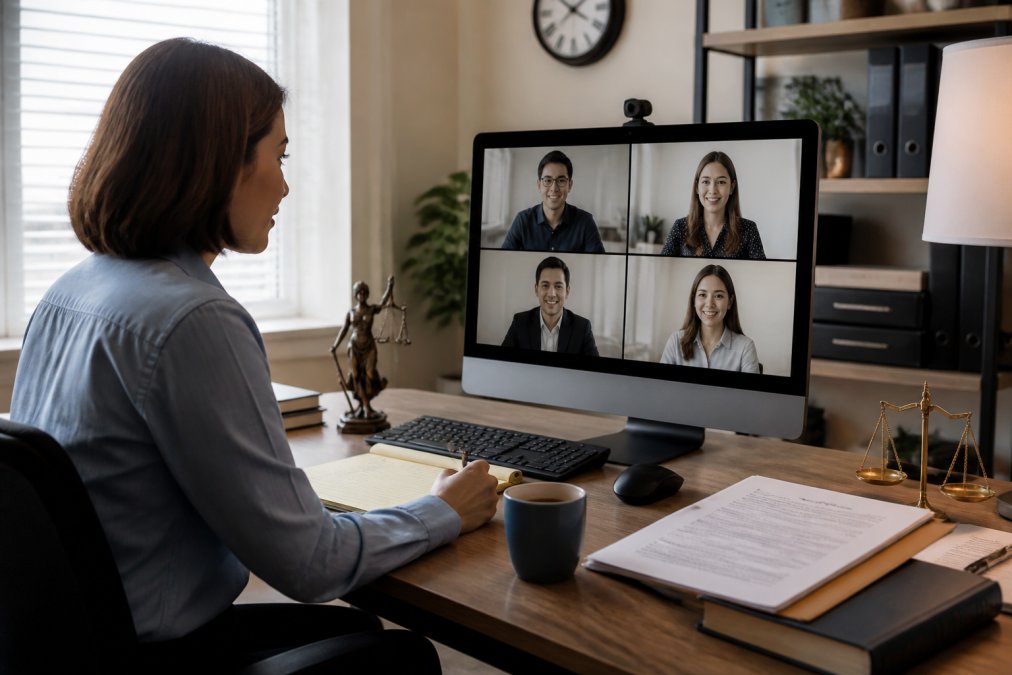
Your onboarding should include a security policy document they review and sign, training on encrypted email and file sharing, MFA and VPN setup instructions, explanation of confidential information, clear consequences for violations, and annual refresher training.
Make security training ongoing, not a one-time box to check. New threats emerge constantly. Staff should receive quarterly updates on phishing tactics, social engineering, and new security tools.
Test what you teach. Run simulated phishing emails to see who clicks suspicious links. Conduct security audits to verify staff follow protocols. Reward compliance and address violations promptly.
Monitor, Audit, and Maintain Accountability
Monitoring and auditing are continuous processes ensuring your security infrastructure actually works.
Review access logs monthly. Who logged in? When? From where? Did anyone access files outside their normal job function? These patterns reveal problems before they become breaches.
Conduct annual security audits with an external firm to test your systems, attempt to breach your network, and identify vulnerabilities. This external perspective catches things internal reviews miss and provides documentation that you’re taking security seriously.
Test backup and disaster recovery quarterly. Can you restore your entire system from backups? Can you recover specific client files? How long does recovery take? Know these answers before a disaster strikes.
Staff should understand that accountability is mutual. You’re accountable to clients for protecting their information. Staff are accountable to you for following security protocols. This shared responsibility creates a culture where security is everyone’s job.
Managing remote legal staff securely is complex but achievable. It requires clear protocols, the right tools, ongoing training, and constant vigilance. Firms that get this right gain a competitive advantage: they attract top talent from anywhere, scale capacity without expanding physical offices, and operate with confidence that client data is protected.
Bluebook Helpers handles the staffing side of this equation. We recruit, vet, and train remote legal staff who understand confidentiality obligations and security protocols. Our team manages performance monitoring, handles replacements if issues arise, and takes compliance seriously. We integrate seamlessly with your firm’s existing systems while maintaining required security standards.
If you’re ready to build a remote team without the security headaches, book a consultation with Bluebook Helpers to discuss how we can help your firm scale securely.
| Security Layer | Key Component | Purpose |
|---|---|---|
| Data Protection | Encryption (in transit & at rest) | Prevent unauthorized access to files |
| Access Control | Multi-factor authentication & role-based permissions | Limit access to authorized staff only |
| Remote Access | VPN with full tunneling | Secure all internet traffic from remote devices |
| Endpoint Security | Device encryption, antivirus, firewalls | Protect individual devices from malware |
| Monitoring | Access logs, audit trails, performance tracking | Detect anomalies and maintain accountability |
| Compliance | ABA ethics rules, regulatory standards documentation | Meet legal obligations and defend against liability |
| Response | Incident response plan with drills | Contain breaches quickly and minimize damage |
| Training | Ongoing security education and simulations | Build security culture and reduce human error |
Frequently Asked Questions
How do law firms maintain attorney-client privilege with remote staff?
Attorney-client privilege is maintained through the same confidentiality protocols used in physical offices. Remote staff must sign non-disclosure agreements, receive training on privilege concepts, and access client data only through encrypted channels and secure case management software. Establish clear access restrictions so staff see only files necessary for their assigned tasks. Audit trails document who accessed what and when. The privilege itself depends on the confidential nature of the communication, not the location, proper security infrastructure protects that status.
What security measures are required for managing remote legal staff securely?
Essential measures include data encryption for files in transit and at rest, multi-factor authentication for all system access, virtual private networks (VPNs) for remote connections, endpoint security software on all devices, and audit trails tracking document access. Require secure file-sharing platforms instead of email for sensitive materials. Implement access control so staff access only necessary files. Conduct background checks and verify credentials before hiring. Provide cyber hygiene training on phishing and social engineering. Use case management software with built-in security features and regular backup protocols.
Are there specific ABA ethics rules for remote legal work?
The American Bar Association's Model Rules of Professional Conduct apply equally to remote work. Rule 1.1 requires competence, including technological competence for remote systems. Rule 1.6 mandates reasonable safeguards for client confidentiality, remote staff must follow the same protocols as in-office staff. Rule 8.4 prohibits conduct prejudicial to fitness to practice, including negligent data handling. State bar associations may have additional guidance. Review your jurisdiction's ethics opinions on remote work and data security. Document your firm's security policies and ensure remote staff training covers these obligations explicitly.
How do you monitor remote legal staff productivity and compliance without micromanaging?
Use case management software with built-in time tracking and task assignment features that show work completed without constant surveillance. Set clear performance metrics tied to deliverables, not hours logged. Schedule regular check-ins to discuss progress and quality. Implement audit trails in your document management system to confirm staff accessed and completed assigned tasks correctly. Monitor email and file access logs for unusual activity. Require daily or weekly status updates on cases. Balance accountability with autonomy by focusing on outcomes and deadlines rather than keystroke monitoring, which damages trust and may violate privacy expectations.

