

Table of Contents
- Why Remote Legal Teams Require a Different Management Approach
- Establishing Remote Legal Team Best Practices
- Choosing Remote Legal Team Communication Tools
- Implementing Legal Workflow Automation
- Tracking Law Firm Productivity Metrics
- Ensuring Data Security and Client Confidentiality
- Onboarding and Training Your Remote Team
- Frequently Asked Questions
Last Updated: October 21, 2026
Why Remote Legal Teams Require a Different Management Approach
Managing remote legal teams isn’t just about letting people work from home. It requires a fundamentally different approach to how you structure work, communicate, and measure success.
When your team works across different locations and time zones, you lose the casual hallway conversations that used to clarify expectations. You can’t walk over to someone’s desk to check on progress.
At Bluebook Helpers, we’ve worked with firms struggling with exactly these issues. They establish clear documentation, implement secure systems, and measure productivity differently than they would in an office.
The key insight is this: remote work amplifies the importance of process. When everyone’s in the same room, informal processes sometimes work.
Establishing Remote Legal Team Best Practices
Clear expectations form the foundation of managing remote legal teams. Without them, remote staff struggle to know what success looks like. Your team needs written documentation that covers how work flows, what quality standards apply, and how communication happens.
Setting Clear Expectations and Documentation
Document everything your remote team needs to know about their role and responsibilities. This includes:
- Daily workflow procedures and task priorities
- Quality standards for document preparation and client communications
- Response time expectations for emails and messages
- When to escalate issues and who to contact
- Confidentiality protocols specific to your firm
- Software and tool requirements
Written documentation serves two purposes. First, it removes ambiguity, your remote staff knows exactly what’s expected. Second, it creates accountability. When standards are documented, you can measure performance against them consistently.
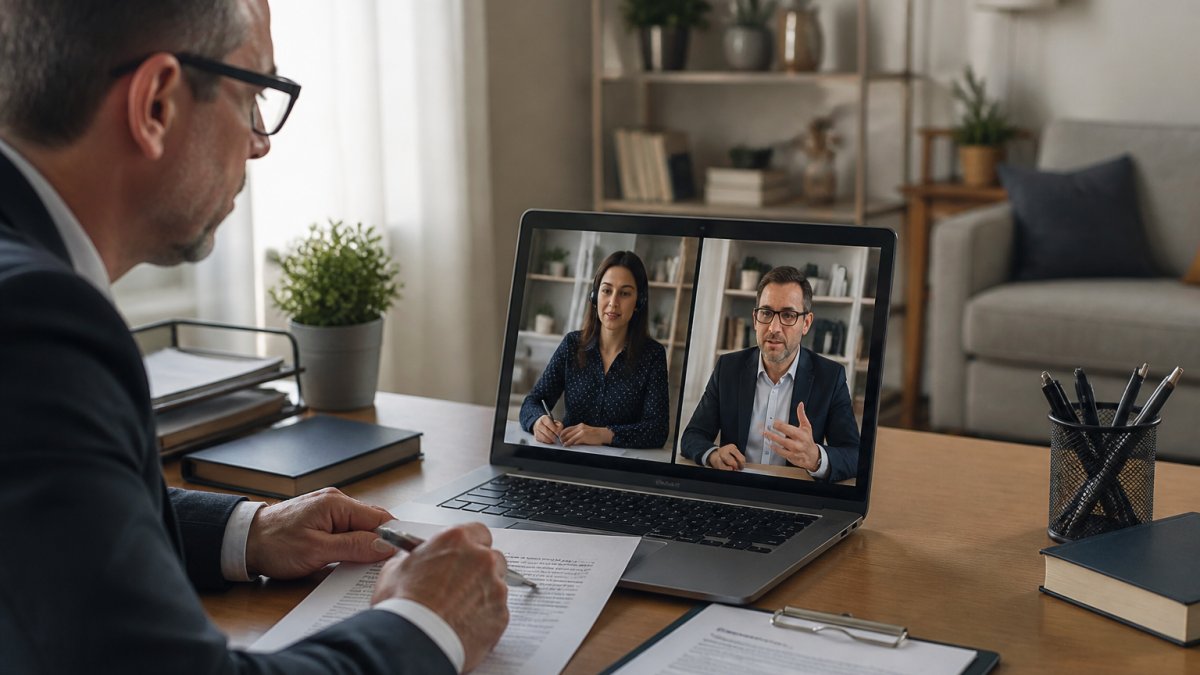
Many firms make the mistake of assuming remote staff will figure things out. They won’t. What works in person through informal learning doesn’t transfer to remote work. Your documentation needs to be detailed enough that someone could do the job correctly without asking questions.
Creating Accountability Without Micromanagement
Accountability means results matter, not how many hours someone appears to be working. Remote teams perform best when you measure outputs and outcomes, not activity.
Set clear deliverables with deadlines. Track what gets completed, not how long it takes. This approach actually increases accountability because the standards are objective. Either the document was prepared correctly or it wasn’t.
Regular check-ins matter more in remote settings, not less. Schedule weekly one-on-ones to discuss progress, address obstacles, and provide feedback.
Use project management tools that show task progress transparently. When your team logs work into a shared system, you get visibility without hovering. Everyone sees what’s assigned, what’s in progress, and what’s complete.
Choosing Remote Legal Team Communication Tools
Communication breaks down fast in remote settings without the right infrastructure. You need tools that support both synchronous (real-time) and asynchronous (delayed) communication, with security built in for confidential client information.
Synchronous vs. Asynchronous Communication
Synchronous communication happens in real time: video calls, instant messages, phone calls. Asynchronous communication happens on a delay: emails, recorded messages, documented decisions.
Remote legal teams need both, but most firms overweight synchronous. Every question doesn’t need an immediate answer. In fact, requiring immediate responses creates constant interruptions and reduces deep work time.
Use synchronous communication for:
- Client calls and consultations
- Complex problem-solving that needs real-time discussion
- Team meetings and training
- Urgent clarifications
Use asynchronous communication for:
- Status updates and progress reports
- Document feedback and revisions
- Policy announcements and decisions
- Routine questions and answers
The advantage of asynchronous work is that it creates a written record. Your team can reference decisions later. It also respects different time zones and work schedules.
Secure Channels for Confidential Client Information
Client confidentiality is non-negotiable in legal work. Remote communication must protect sensitive information from unauthorized access.
Never use consumer email or messaging apps for client work. Tools like Gmail, WhatsApp, or personal Slack accounts don’t meet the security standards required for legal practice. Use platforms specifically designed for secure legal communication.
Requirements for secure communication channels include:
- Encryption in transit and at rest
- Access controls that limit who sees what information
- Audit logs that track who accessed documents and when
- Compliance with attorney-client privilege standards
- Regular security updates and patches
Your remote staff also needs training on how to use these tools correctly. A secure platform only works if people follow the protocols. That means no forwarding confidential documents to personal email, no screenshots sent through unsecured channels, and no discussing client details on public networks.
Implementing Legal Workflow Automation
Automation removes the bottlenecks that slow down remote teams. When routine tasks happen automatically, your staff spends time on work that requires judgment and expertise.
Automating Routine Tasks and Document Preparation
Identify the tasks your team does repeatedly. Document assembly is a prime candidate. If your paralegals spend hours filling in the same templates with client information, that’s time you can automate.
Workflow automation tools can:
- Pull client data from your matter management system into templates
- Generate documents with correct formatting automatically
- Route documents to the right person for review
- Flag documents that need attorney approval before sending
The time savings compound. A paralegal who spends four hours a week on document assembly gains four hours for higher-value work. Over a year, that’s 200 hours of capacity you didn’t have before.
Automation also improves quality. Templates are filled out consistently. The risk of errors drops because the system enforces standards.
Matter Management and Workflow Visibility
Matter visibility means everyone on your team can see the status of every case they’re involved in. Remote teams especially need this because they can’t rely on overhearing conversations or seeing work piled on someone’s desk. Centralizing this information requires robust communication strategies for teams to ensure that digital updates replace the informal cues of a physical office.
A good matter management system shows:
- What stage each case is in
- What tasks are assigned and to whom
- Deadlines for upcoming work
- Documents and communications related to each matter
- Time entries and billing information
This visibility creates accountability. When everyone can see what’s assigned and what’s due, work gets prioritized correctly. Remote staff know what matters most.
Tracking Law Firm Productivity Metrics
Measuring productivity in remote settings requires different metrics than office work. Hours in a chair don’t tell you anything about output. Instead, focus on metrics that reflect actual work.
Measuring Billable Hours and Use
Billable hours matter for firm profitability, but they’re only part of the picture. Use, the percentage of time staff spends on billable work versus overhead, is the real measure of productivity.
Track use by role and by individual. An attorney should be billing 75-85% of their time. A paralegal should be billing 80-90%. When use drops below these targets, you need to understand why. Sometimes it’s insufficient work. Sometimes it’s inefficient processes.
Time tracking systems should be simple enough that staff uses them without resistance. The more detailed your tracking, the better your data. But if the system is cumbersome, people won’t use it accurately.
Monitoring Quality and Compliance Standards
Productivity isn’t just speed. Quality matters equally. A document prepared quickly but with errors costs more in the long run than a document prepared carefully.
Monitor quality through:
- Supervisor review of completed work
- Client feedback on turnaround and accuracy
- Error rates and revision frequency
- Compliance with firm procedures and standards
For remote teams, quality monitoring requires documented standards and regular feedback. You can’t rely on informal observation. Build quality checks into your workflow. Have supervisors review a percentage of completed work. Track error rates over time.
Compliance is especially important in legal work. Your remote staff needs to follow all applicable rules and regulations. That means documenting what compliance looks like and verifying it happens.
Ensuring Data Security and Client Confidentiality
Remote work introduces security risks that office work doesn’t. Your clients’ sensitive information is now on home networks, personal devices, and across the internet. You need controls to protect it.
Vetting Remote Staff for Sensitive Work
Not every remote staff member should have access to every client file. The more sensitive the work, the more carefully you need to vet the person doing it.
Background checks are essential. Your vetting process should include:
- Criminal background check
- Credit check (for financial crime detection)
- Verification of employment history
- Professional references
- Education verification
For staff handling litigation files or sensitive transactional work, consider additional screening. The investment in vetting upfront prevents problems later.
Secure Access Protocols and Data Handling
Access controls limit what information each person can see. An administrative assistant shouldn’t have access to litigation strategy documents. A paralegal working on one case shouldn’t see files from another client.
Implement these security practices:
- Unique login credentials for each staff member
- Multi-factor authentication for all systems
- Regular password changes
- Automatic session timeouts
- Encryption of all data in transit and storage
- Restrictions on copying or downloading files
- Logging of all access to sensitive documents
Device security matters too. Remote staff working on personal computers creates risk. Require device encryption, updated antivirus software, and firewalls. Consider requiring company-provided devices for sensitive work.
Data handling protocols should cover what staff can and cannot do with client information. No printing documents at home. No storing files on personal cloud services. No discussing client details in public spaces. These rules need to be written and enforced.
Onboarding and Training Your Remote Team
Onboarding remote staff takes more time and structure than onboarding office staff. You can’t rely on people picking things up by osmosis. Everything needs to be explicitly taught.
Your onboarding program should cover:
- Firm history, values, and culture
- Client confidentiality and security protocols
- Software systems and tools your firm uses
- Workflow procedures specific to their role
- Quality standards and expectations
- Communication norms and response times
- Escalation procedures and who to contact
- Time tracking and billing requirements
Schedule onboarding over several weeks, not a single day. Remote staff need time to absorb information and practice.
Pair new remote staff with a mentor or buddy for the first 30-60 days. This person answers questions, provides feedback, and helps them feel connected to the team.
Ongoing training matters too. As your firm changes processes or adopts new tools, your remote team needs training to keep up.
Remote legal teams succeed when you treat them as a deliberate operational model, not a temporary arrangement.
At Bluebook Helpers, we help firms build this infrastructure.
Frequently Asked Questions
How do you measure productivity for a remote legal team?
Law firm productivity metrics for remote teams should track billable hours, task completion rates, matter turnaround times, and quality standards rather than hours logged. Use practice management software to monitor time allocation across cases, document preparation speed, and client responsiveness. Pair quantitative metrics with qualitative feedback from supervising attorneys to ensure remote staff are delivering substantive work, not just appearing busy. Regular check-ins on case outcomes and client satisfaction provide a fuller picture than activity alone.
What communication tools work best for remote legal teams?
Remote legal teams need tiered communication: secure email for client matters, encrypted messaging platforms for internal discussions, and video conferencing for complex case reviews. Practice management systems like Clio or LexisNexis Workspace integrate task assignment and matter updates in one place. For asynchronous collaboration, shared document repositories with version control prevent miscommunication across time zones. Avoid consumer tools like Slack or Teams for client-sensitive discussions; instead use platforms that comply with attorney-client privilege and data security requirements.
Can remote paralegals handle confidential litigation files safely?
Yes, if properly vetted and given secure access. Require background checks, confidentiality agreements, and verification of legal experience before remote staff access client files. Use VPN and encrypted connections for remote access, limit file downloads, and implement role-based permissions so each team member sees only their assigned matters. Audit access logs regularly and conduct spot checks on document handling. Bluebook Helpers pre-screens remote legal staff for confidentiality protocols and provides continuous performance monitoring, reducing the risk of mishandled sensitive information.
How do I onboard remote legal staff without rebuilding my intake process?
Map your current intake workflow first, then document each step in a procedures manual. Train remote staff on your specific tools (practice management software, client portals, document templates) through recorded walkthroughs and live sessions. Assign a supervising attorney as the primary point of contact for the first 2-4 weeks. Start with lower-risk tasks like initial client intake forms, then graduate to document drafting and follow-up. Bluebook Helpers handles recruitment and hands-on training tailored to your firm’s software, so your team integrates quickly without disrupting existing processes.

